
Branding & Design Kits
Build better brand systems in Adobe Illustrator, from first concepts to polished, production-ready artwork.
Create precise logos and reusable brand assets
Work faster with colour, type and pattern tools
Deliver cleaner, more consistent final artwork

Your instructor
Derrick Mitchell
Made with
Astute Graphics Plugins
Circle and arcs
Create common circles and arcs with SubScribe tools
Brand patterns
Use SpaceFill to expand on your brand system and make patterns
Reduce file size
Clean up your vector artwork for production with VectorFirstAid
Output color swatch
Don't copy and paste, learn the quickest way to display your color swatch info
Typography
Magically unoutline your type with VectorFirstAid
Export-ready files
Learn how to prepare and display your brand asset files
Circle of life
Perfect circles every time
Discover how to draw perfect circles and arcs every time with the Circle by Points and Arc by Points tools.

Throw some shapes
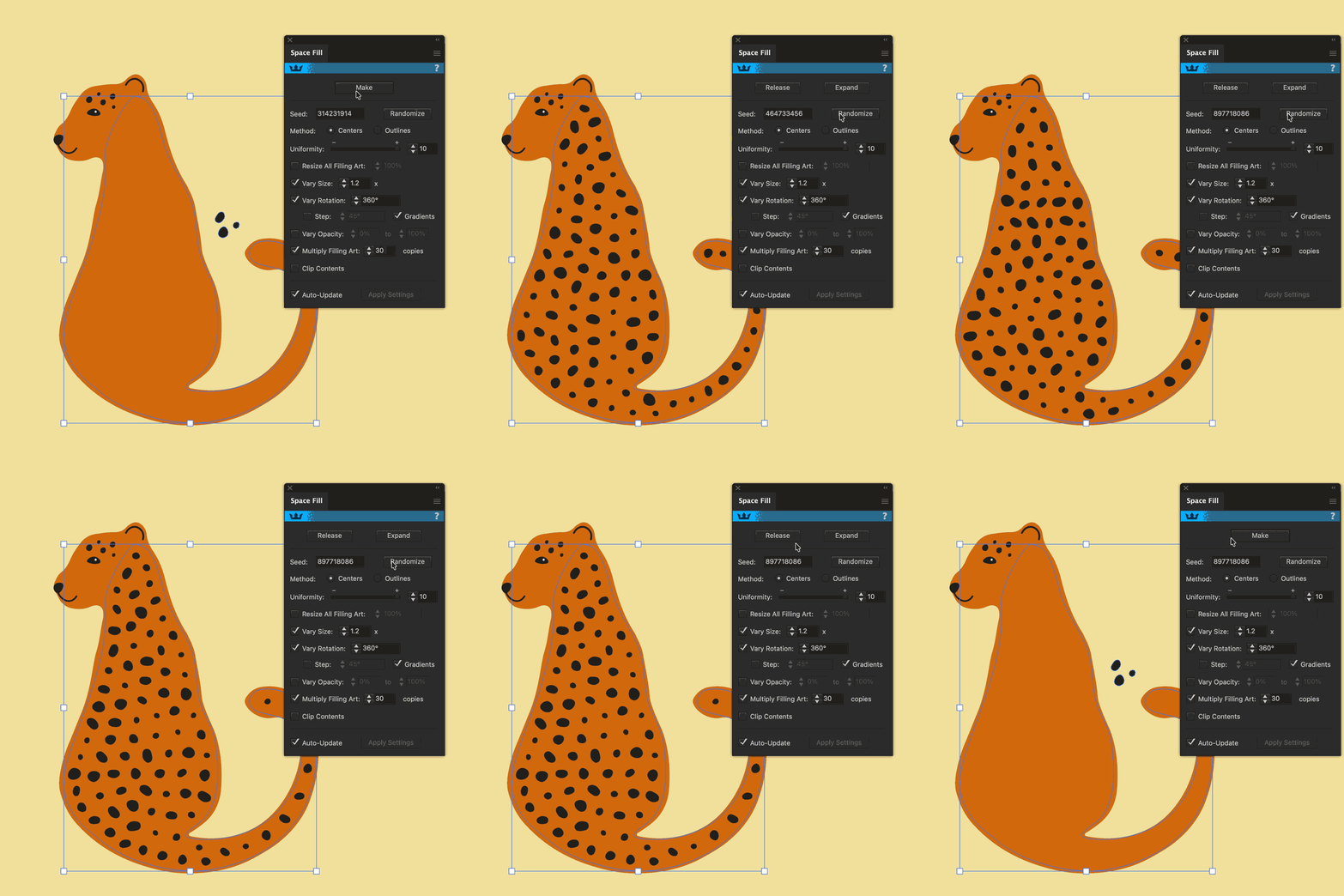
Generate quick pattern backgrounds
Space Fill can scatter vector objects in Illustrator, which means making backgrounds and patterns super quick and easy.
Keep it clean
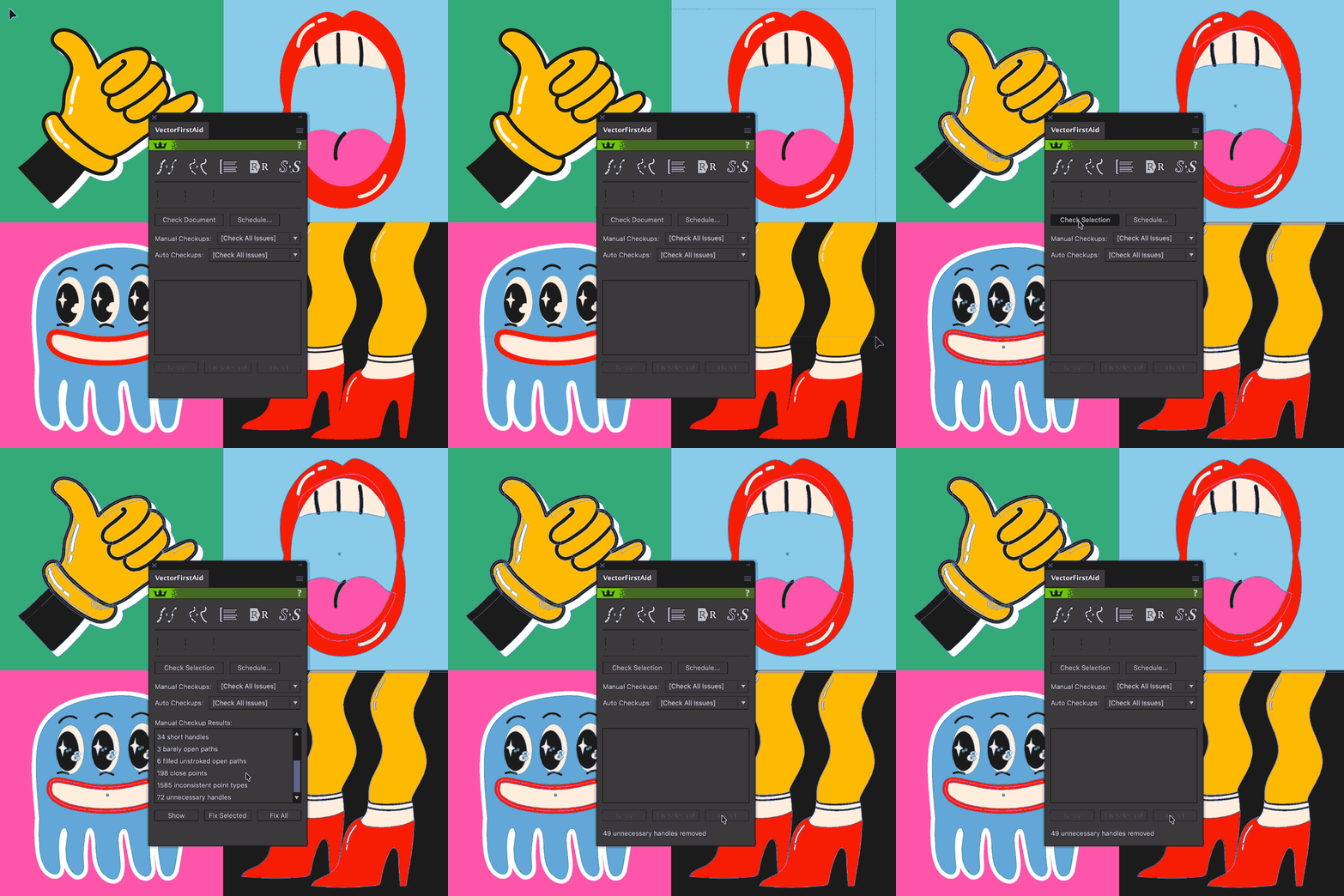
Cleaning has never been easier
Use VectorFirstAid to reduce unnecessary anchor points without damaging the design.
Relevant for
Advertising
Marketing
Social Media
Packaging
Digital
Signage
Merchandise
Brand Guidelines
Presentations
Campaigns
Events
Logo & Branding appears on
Business Cards
Websites
Packaging
Posters
Billboards
Social Posts
Products
Clothing
Vehicles
Storefronts
Stationery
Brochures
Transform how you work
Smart tools for smart workflows.
Speed up your workflow with plugins for designers by designers.

Video 1
Workflow Setup
Derrick Mitchel introduces his Branding Design workflow inside Adobe Illustrator.

Video 2
Constructing a Logo
Starting with a simple idea and sketch, Derrick shows us the best ways to construct a logo.

Video 3
Brand Systems & Patterns
Learn how to reduce a logo to a reusable mark, perfect for creating other brand assets and patterns.

Video 4
Color & Typography
Complete your brand pack to include color swatch info and typography choices.

Video 5
Exporting Assets
Bring all your work into a comprehensive brand pack ready to deliver to clients or present in your personal portfolio.
Meet your instructor
Derrick Mitchell

Derrick Mitchell is a Creative Director, designer, and educator with more than 20 years of experience across branding, graphic design, video, photography, web, and creative education. Throughout his career, he has worked with brands including MTV, Netflix, Nintendo, Discovery Channel, Winchester, Tigé Boats, and Adobe/Behance.
Alongside his professional creative work, Derrick has built a global audience as an online educator, teaching more than 200,000 students in 201 countries. His courses focus on practical, real-world creative skills, from graphic design and branding to illustration and emerging creative tools.
Derrick is passionate about helping creatives understand not just how to use their tools, but how to think through the creative process behind the work. Whether he’s developing a brand identity, producing content, building a website, or teaching a new workflow, his approach combines creative exploration with practical techniques that can be applied to real-world projects.

Kickstart your workflows
Take your Adobe Illustrator workflow to the next level.
Try our premium Adobe Illustrator plugins for 7 days, and claim 4 free plugins to keep!
No payment details required