
Pattern & Surface Design
Create seamless, scalable patterns built from clean vector shapes and flowing organic forms.
Design seamless, repeatable patterns.
Build with vector shapes & organic flow.
Scale infinitely. No seams. Always sharp.

Your instructor
Laura Coyle
Made with
Astute Graphics Plugins
Build clean motifs
Draw out clean motifs with DynamicSketch.
Add organic details
Learn how to InkFlow to create natural sketches.
Seamless repeats
Learn how to make seamless repeats in Adobe Illustrator
Coordinate patterns
Create coordinate patterns and colorways with Space Fill and Randomino.
Pattern editing mode
Discover how tools like Inflate Deflate and Art Switcher help you work faster in pattern design.
Professional presentation
Learn how to prepare your vector patterns for production and presentation.
The dynamic duo
Draw naturally in Illustrator
Use DynamicSketch and InkFlow to draw natural paths and motifs in Adobe Illustrator.

To the point
Perfect your point placement
Use PathScribe to reduce unnecessary anchor points without damaging the design.
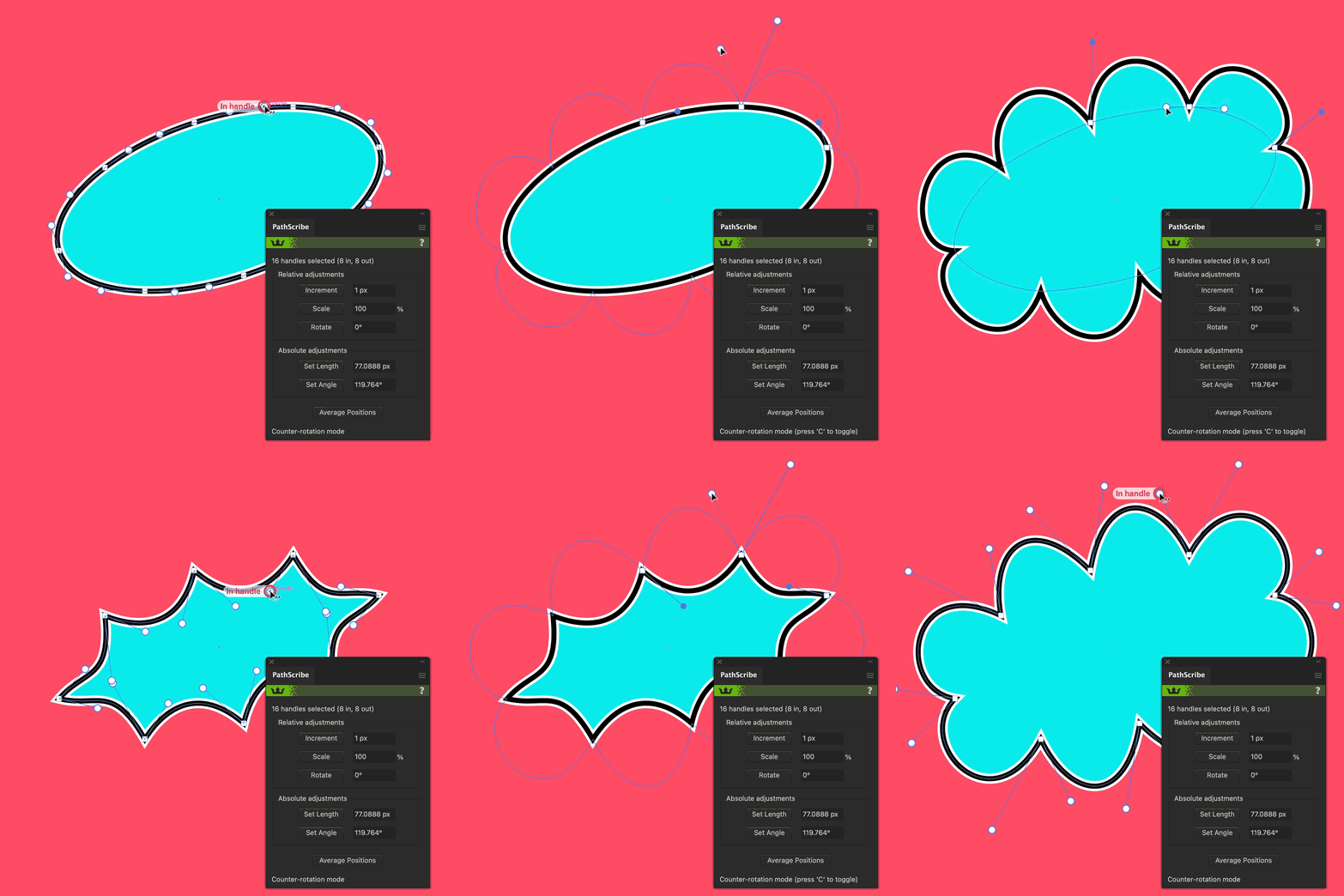
Throw some shapes
Generate quick pattern backgrounds
Space Fill can scatter vector objects in Illustrator, making tossed repeats and patterns super quick and easy.
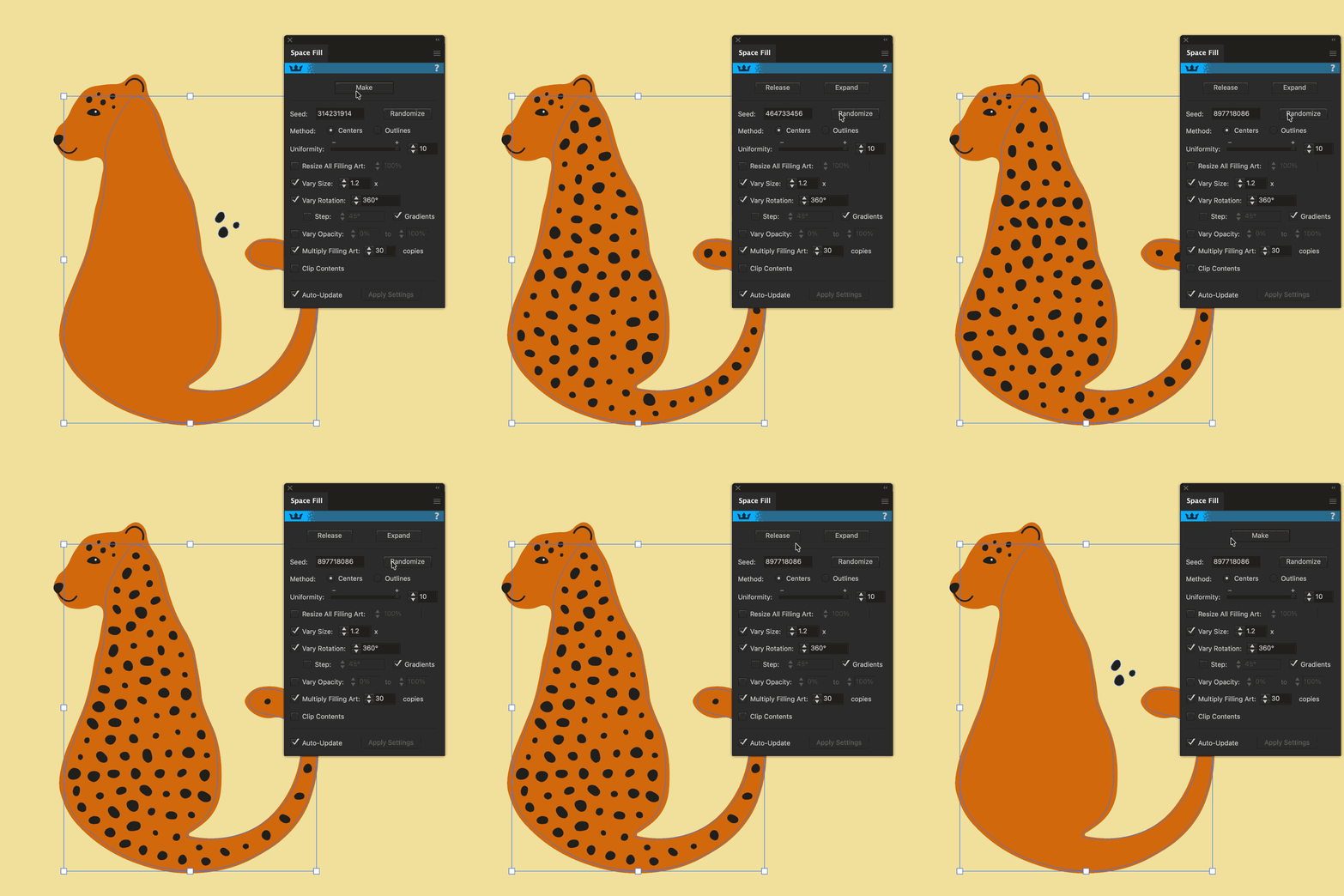
Relevant for
Gift Designers
Greetings Cards
Fabric Patterns
Art Licensing
Surface & Pattern Design appears on
Textiles
Wallpaper & Wall coverings
Home Decor
Stationery & Packaging
Flooring & Tiles
Consumer Products
Transform how you work
Smart tools for smart workflows.
Speed up your workflow with plugins for designers by designers.

Video 1
Workflow Setup
Laura Coyle introduces her process for creating clean motifs and pattern designs in Adobe Illustrator.

Video 2
Sketching & Motifs
Laura shows how to create natural sketched motifs with DynamicSketch and InkFlow.

Video 3
Seamless Repeats
Learn how to build seamless repeat patterns in Adobe Illustrator while optimizing your vector artwork.

Video 4
Coordinates & Colorways
Laura explains how to build coordinating patterns and create color variations using repeatable workflows.

Video 5
Presentation
Learn how to present your repeat patterns professionally in Adobe Illustrator.
Meet your instructor
Laura Coyle

Laura Coyle is an Adobe Community Expert, freelance illustrator, and educator who teaches Adobe Illustrator to creatives at all levels. Based in Atlanta, Georgia, she has nearly 30 years of experience creating artwork for clients including Target, Hallmark, Hasbro, Amazon, Disney, and Papyrus.
Her teaching is shaped by years of professional illustration work and a practical understanding of how artists and designers think, build, and refine their artwork. Through Laura Coyle Courses, her Illustrator learning community, she offers clear, approachable courses and live sessions designed to help creatives build their skills, work more efficiently, and feel more confident in Illustrator.
Laura also develops training content for The Textile Design Lab and Astute Graphics, shares Illustrator tips and tutorials on YouTube, and is a regular speaker at CreativePro Week and Adobe MAX. Her work focuses on practical Illustrator workflows for artists, designers, and surface pattern designers.

Kickstart your workflows
Take your Adobe Illustrator workflow to the next level.
Try our premium Adobe Illustrator plugins for 7 days, and claim 4 free plugins to keep!
No payment details required