Apply InkFlow to straight lines and paths in Adobe Illustrator
May 25th, 2026 |


If you love creating calligraphic doodles and illustrations in Adobe Illustrator, InkFlow from Astute Graphics offers a fast way to create realistic ink strokes with fully editable live effects.
In this quick tip, you will learn how to draw an InkFlow path, preview the live ink simulation in the Appearance panel, and quickly apply the same InkFlow effect to any straight path or line in Illustrator.
If you want to explore InkFlow and create expressive vector linework in Adobe Illustrator, you can try Astute Graphics free for 7 days…
How to draw with InkFlow
To open the InkFlow panel, go to Window > Astute Graphics > InkFlow in Adobe Illustrator.
Choose one of the four preset pens and draw a path.
Use the InkFlow panel to customize the brush style, by (for example) increasing the stroke weight or adjusting the pen angle.
When you are happy with the settings, save the brush as a custom pen by holding Alt/Option and clicking an empty preset box.
InkFlow automatically creates a live ink simulation effect, which appears in the Appearance panel.

How to apply InkFlow to a straight line or path
Draw a straight line, open path or any common shaped path in Adobe Illustrator.
Deselect this new path, then select the original InkFlow path you created earlier.
If it is not already visible, open the Appearance panel by going to Window > Appearance.
In the Appearance panel, you will see the live effect labeled InkFlow Stroke applied to the selected path.
Drag the preview window from the Appearance panel directly onto any other path or line in your document.
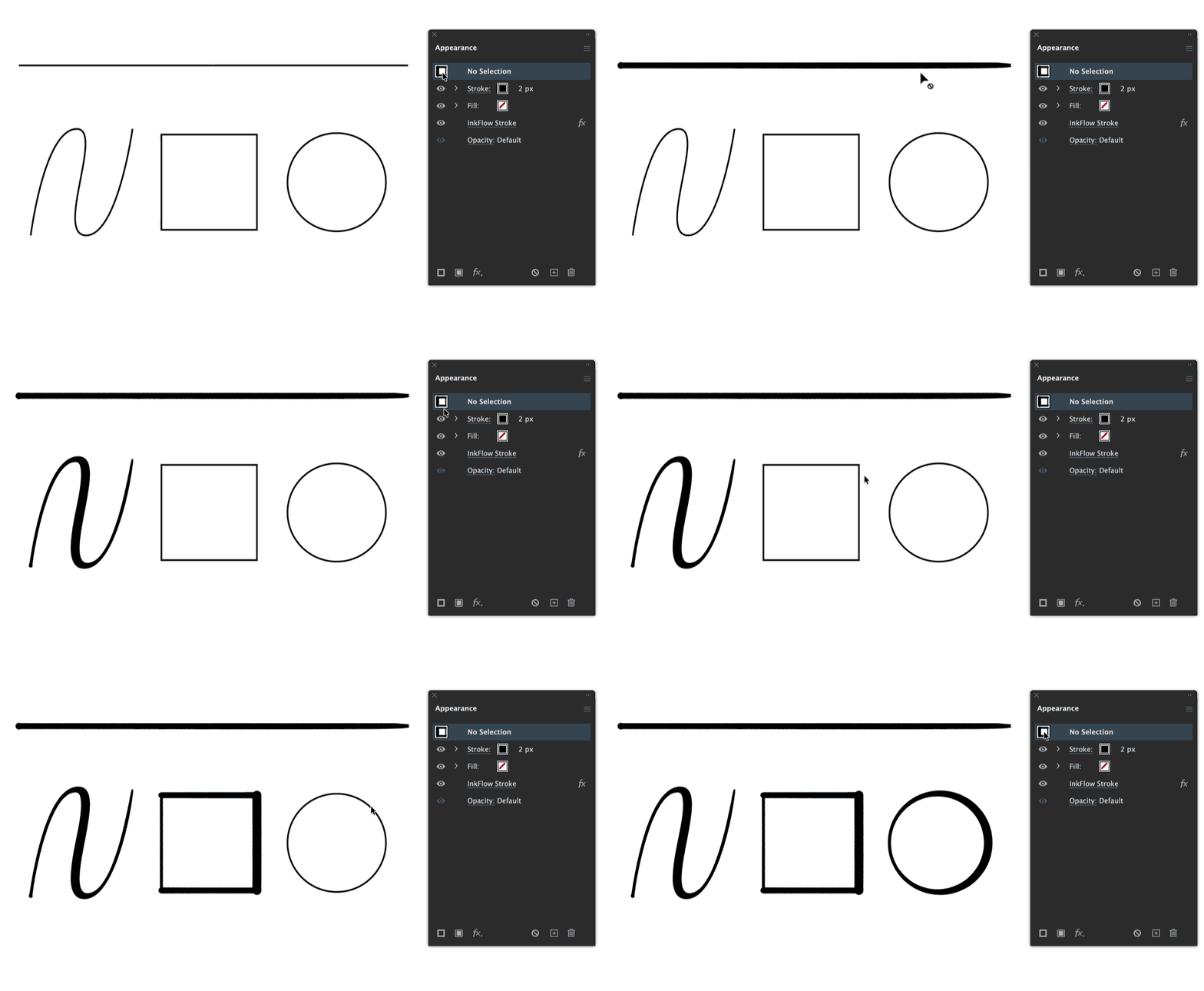
The target path instantly inherits the same live ink simulation settings without needing to redraw the stroke. This InkFlow Stroke live effect still remains fully editable, including all the feathering, width, and pressure settings.
You can discover more about InkFlow or any of the Astute Graphics features in our dedicated documentation website.
Enjoyed this resource?