Astute Graphics compatibility update: Illustrator 2026.3 (v30.3)
5 minute readThis announcement contains important information for all subscribers to Astute Graphics plugins for Adobe Illustrator. Astute Graphics Bespoke customers will be contacted directly regarding any changes to compatibility and service.
Astute Graphics is pleased to confirm full compatibility with the latest Adobe Illustrator 2026.3 release (v30.3).
Compatibility overview
For Astute Manager v4.0.6 and the latest plugin builds:
Adobe Illustrator 2021 through 2026
macOS 11 through 26 (Tahoe)
Windows 10 and 11
Adobe Illustrator v30.3+ compatibility
With the April release of Illustrator 2026.3, Astute Manager now automatically detects this latest version and enables installation of all current Astute Graphics plugin builds.
To accompany Illustrator 2026.3, Astute Graphics has updated all plugins to include the latest SDK. The Illustrator SDK is the Adobe instruction set allowing Astute Graphics to build new superpowers inside Illustrator. Normally, major SDK changes occur with Adobe’s annual major version (year) updates. This Illustrator 2026.3 update allows us to utilize the latest features, including the new Perceptual and Dither gradient controls, now also displayed in the Gradiator panel.
Astute Manager displays only one version of Illustrator per release year. For example, if you update from Illustrator 2026.0, 2026.1, or 2026.2 to 2026.3, only version 2026.3 will appear in the plugin version list.
Updating your plugins for Illustrator 2026.3+ (v30.3+)
The normal process to update plugins differs due to the SDK change part way through the major version release. The process is likely to take 2 minutes.
⚠️ Before proceeding, it is important that you have:
Updated Illustrator 2026 to the latest version using the Adobe Creative Cloud application (v30.3 or above).
Opened this updated version of Illustrator and quit it again at least once.
The Astute Manager is fully quit before reopening, including from the Tray (Windows) or Menu Bar (macOS).
Next…
Open Astute Manager.
The Astute Manager will show the "Orphaned Plugins" information. If this message is not automatically displayed, navigate to Illustrator Plugins > Plugins.
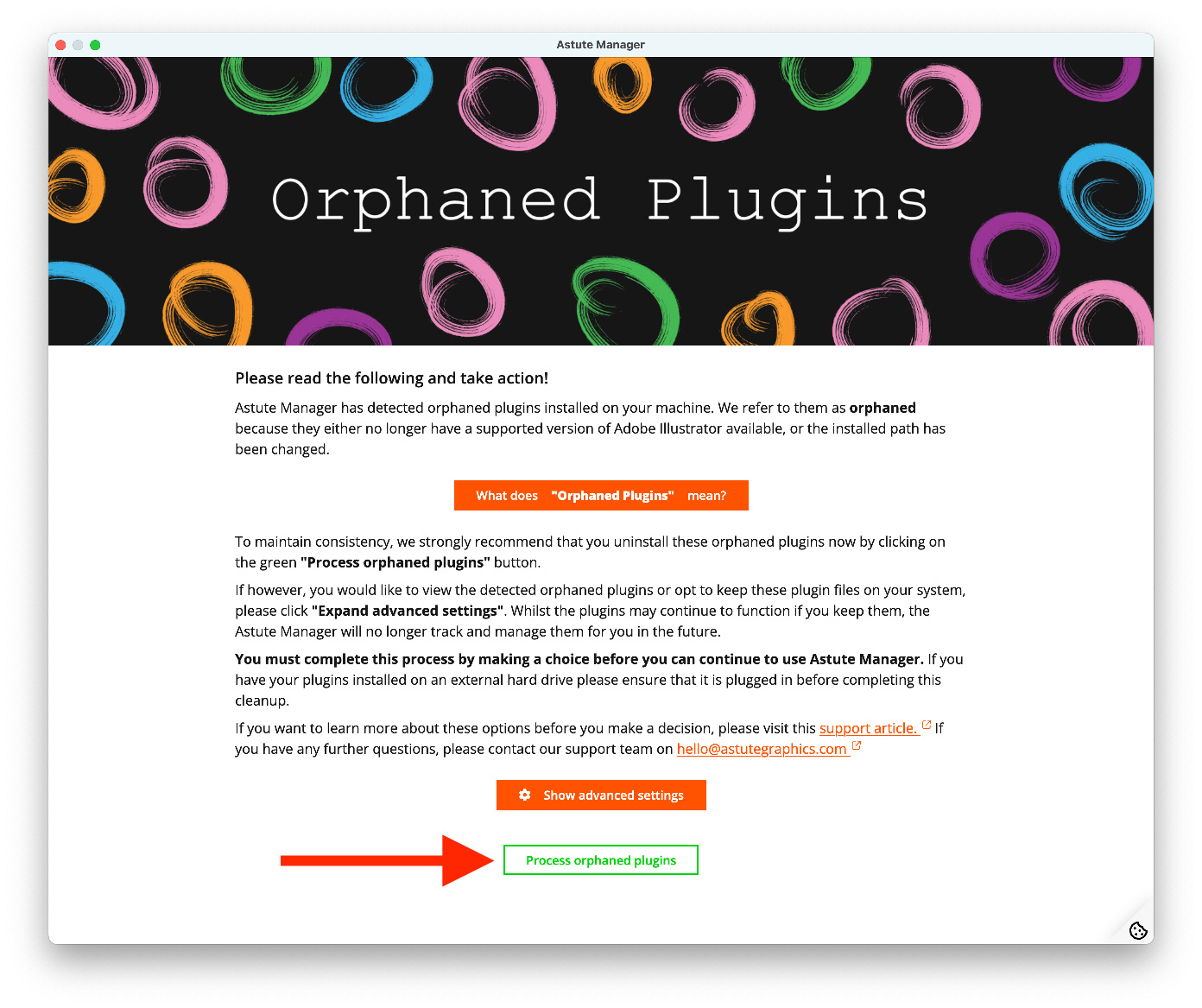
Click on the green Process orphaned plugins button.
Click on the orange I understand and continue button in the confirmation dialog.
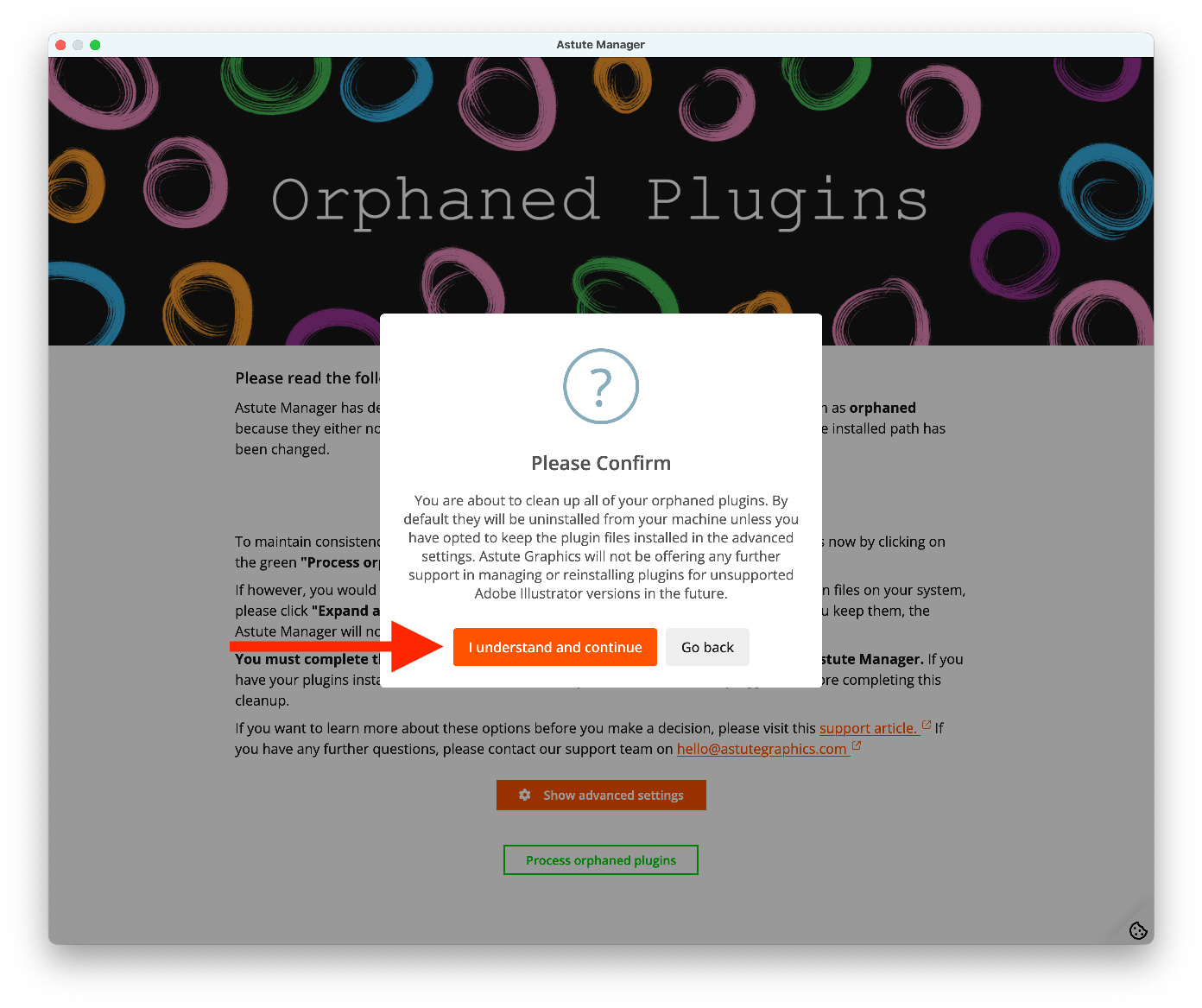
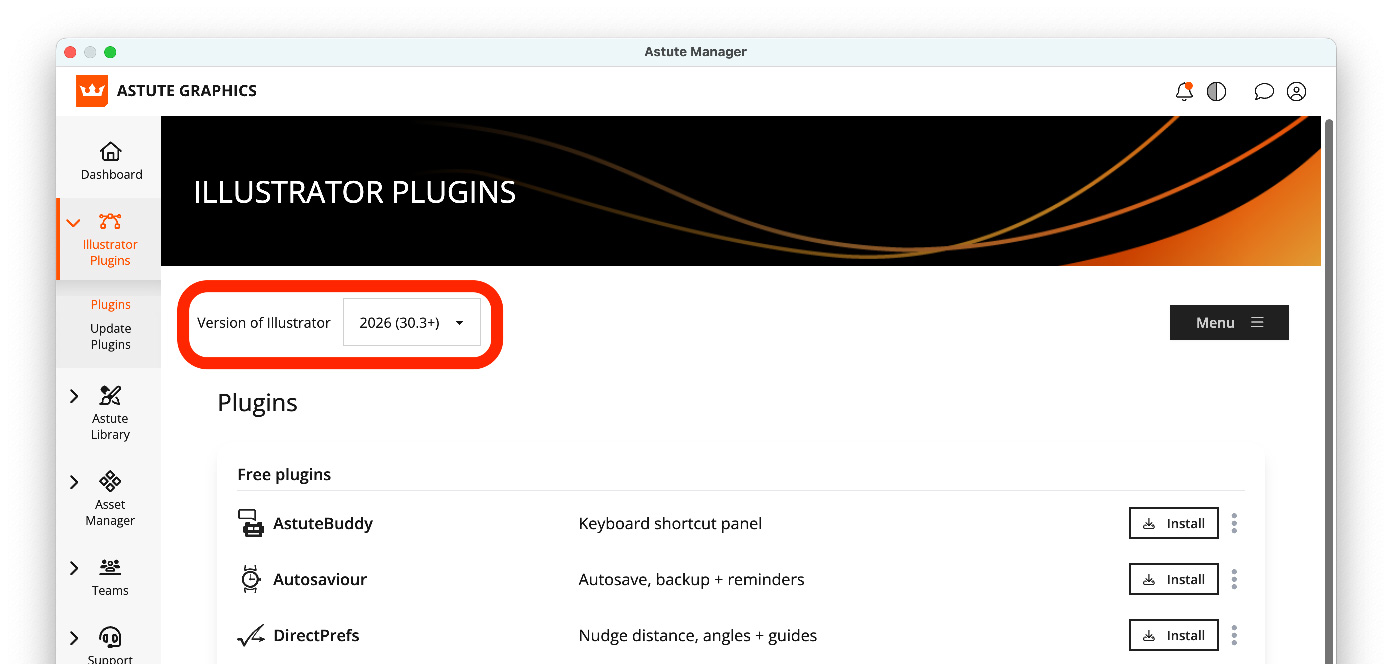
You will be automatically returned to the Illustrator Plugins > Plugins page. On this page, you will see the top Version of Illustrator drop-down selection menu shows Illustrator "2026 (30.3+)", which can now be managed for plugins.
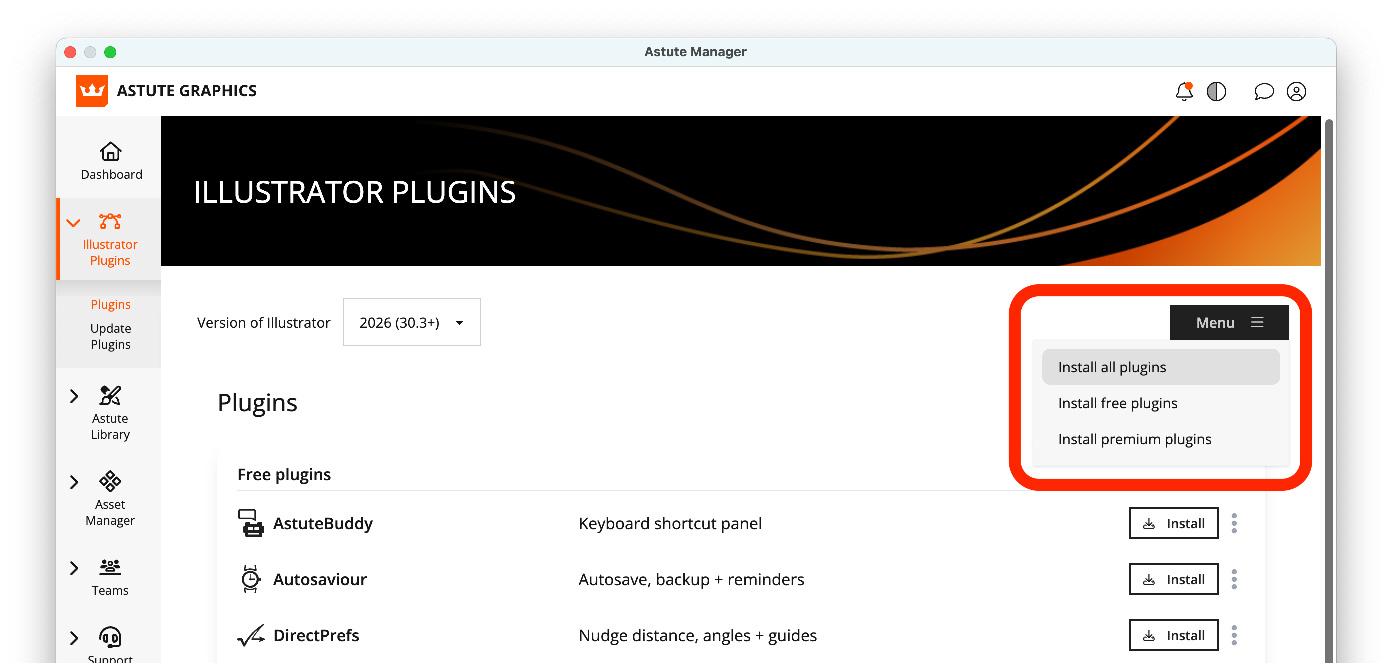
Use the normal Menu button to Install all plugins, or selectively install the plugins from the list below.
Restart Illustrator.
Important instructions for Astute Manager Pro users
If you use the Astute Manager to back up your Illustrator Preferences and settings as an individual or in a team, you will need to re-upload these in the Asset Manager.
At present, the Astute Manager cannot deploy Preferences and settings (Keyboard Shortcuts, Workspaces and Tools) into newer versions of Illustrator. Therefore, as Illustrator 2026.3+ (v30.3+) is considered a distinct major new version, take the following steps:
Ensure you have Adobe Illustrator in a state you wish to back up
Quit all instances of Adobe Illustrator
Open the Astute Manager
Navigate to Asset Manager > Illustrator > User Settings
Click on the cloud upload icons for Illustrator Preferences User Pack and any of the three custom settings (Keyboard Shortcuts, Workspaces and Tools) you wish to back up
If you are managing team assets, re-upload any currently managed Illustrator settings packs used by your team(s) via Asset Manager > Illustrator > Team Settings
The backing up of Illustrator user Preferences and settings is completely free. For more information on this and additional Astute Manager Pro services, please visit astutemanager.com/resources.
Latest plugin updates
Alongside compatibility support, this release also includes several important updates and improvements. To learn how to update your plugins using Astute Manager, see the Discovering and installing plugin updates support article.
Real-time drawing support
Previously, when using Astute Graphics tools that involved click-drag interactions, Illustrator displayed a simplified wireframe preview during editing. The fully rendered result, including fills, strokes, and effects, only appeared after releasing the mouse. In tools such as the Texture Tool in Texturino, this could introduce a noticeable delay.
With Real-Time Drawing support, artwork is now rendered live as you work. This removes the gap between interaction and result, providing a smoother and more accurate editing experience. Read the full release article for real-time drawing…