Distribute objects to a grid in Adobe Illustrator
2 minute readQuickOps from Astute Graphics is a compact utility panel for Adobe Illustrator that gives you fast, one-click access to many useful operations to speed up your vector workflow. It’s part of the SubScribe plugin, and you can try Astute Graphics for free for 7 days.
How to distribute objects to a grid
Select your objects.
Open QuickOps panel (Window > Astute Graphics > QuickOps).
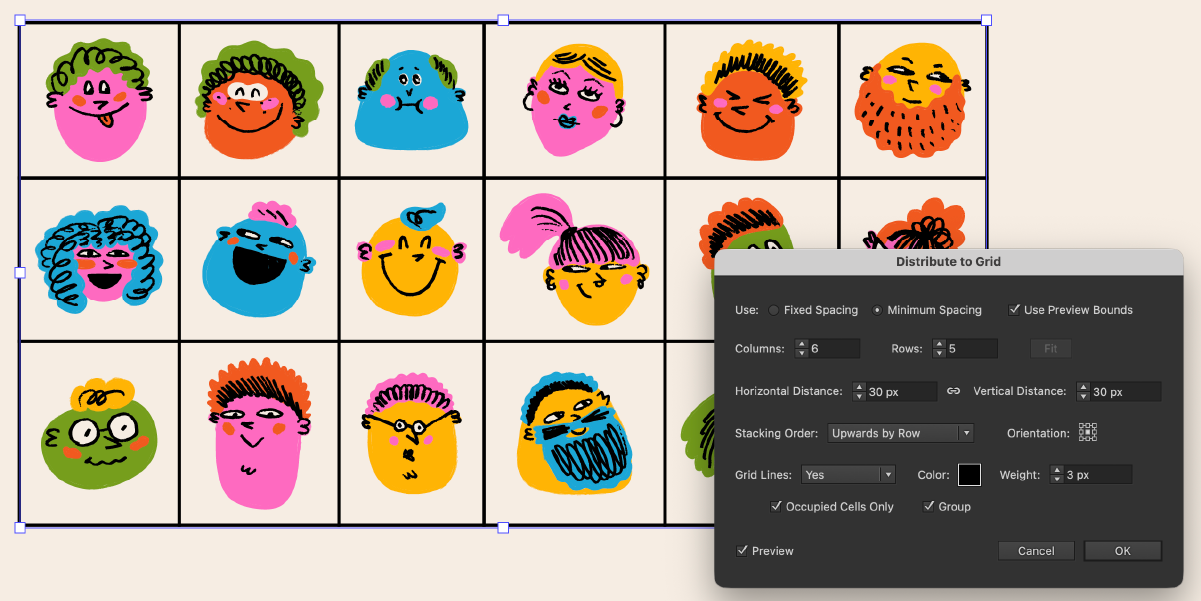
Click the “Distribute to Grid” button in the QuickOps panel.

The objects will automatically arrange into a grid based on their current selection order and spacing.
Adjust the grid settings, layout, and grid lines.
You can choose whether to just preview the grid lines, or export them on to your artboard .
Click OK to confirm the grid.
Configure your QuickOps panel
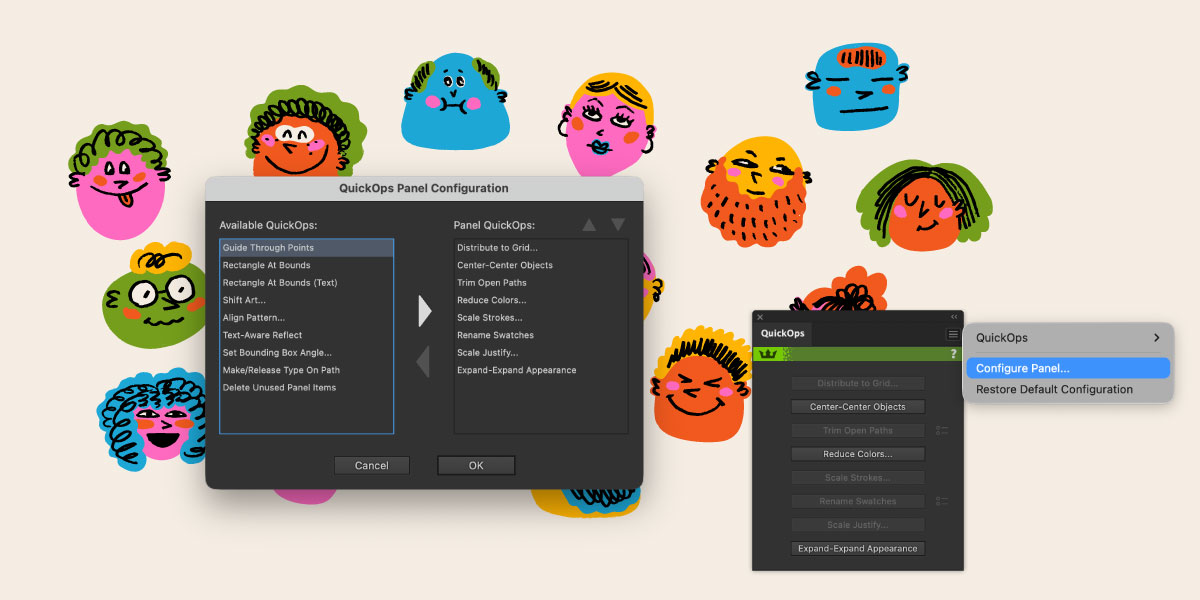
Open the panel flyout menu and click Configure Panel…
Enable, disable, or reorder operations so Distribute to Grid is visible and positioned where you want it for faster access.